
If double bookings and endless “hey, are you free at this time?” messages have started eating into your workday, we’ve got news for you. Your small business has outgrown Google Calendar.
At some point, spreadsheets, and manual scheduling start creating more work. Which means it’s time to find the right scheduling app that fixes all of these woes. The right app should handle availability, bookings, reminders, routing, and calendar conflicts without turning your team into part-time coordinators.
In this guide, we’ve compared the best scheduling apps for small business in 2026, including Schedule.so, Connecteam, When I Work, Acuity Scheduling, Jobber, and more. We looked at ease of use, scheduling speed, calendar syncing, availability controls, integrations, pricing, and whether the app actually saves time once your team starts growing.
So, let’s get into it.

Quick Comparison Table
| App | Best For | Free Plan | Employee Scheduling | Appointment Booking | Starting Price |
|---|---|---|---|---|---|
| Schedule.so | Agencies, coaches, therapists, clinics, consultants, and sales teams | ✅ | ✅ | ✅ | Free / $49 month |
| Connecteam | Cleaning companies, retail stores, construction crews, and field teams | ❌ | ✅ | ❌ | $29/month |
| Homebase | Cafés, restaurants, retail stores, and hourly teams | ✅ | ✅ | ❌ | $30/month |
| When I Work | Restaurants, salons, gyms, and shift-based businesses | ❌ | ✅ | ❌ | $2.50/user/month |
| Deputy | Warehouses, healthcare teams, hospitality, and operations-heavy businesses | ❌ | ✅ | ❌ | $5/user/month |
| 7shifts | Restaurants, bars, cafés, and food service businesses | ✅ | ✅ | ❌ | Custom pricing |
| Calendly | Freelancers, consultants, recruiters, and client-facing teams | ✅ | Limited | ✅ | $10/user/month |
| Acuity Scheduling | Salons, wellness clinics, coaches, and appointment-based businesses | ❌ | ❌ | ✅ | $16/month |
| Sling | Retail shops, hospitality teams, and cost-conscious businesses | ✅ | ✅ | ❌ | $1.70/user/month |
| Jobber | HVAC companies, landscapers, cleaners, and repair businesses | ❌ | ✅ | ✅ | $110/month |
| Square Appointments | Barbershops, salons, spas, and local service businesses | ✅ | Limited | ✅ | Free / $49 month |
| Setmore | Freelancers, tutors, consultants, and small service teams | ✅ | ❌ | ✅ | $5/user/month |
| Monday.com | Marketing teams, operations teams, and project-based businesses | ❌ | Limited | ❌ | $10/user/month |
| Google Calendar | Small teams, startups, and businesses with simple scheduling needs | ✅ | Limited | Limited | Free |
| Clockify | Agencies, freelancers, and hourly teams tracking billable work | ✅ | ✅ | ❌ | Free |
Why Small Businesses Need Scheduling Software
Most small businesses reach a breaking point where manual scheduling just doesn’t work anymore. It in fact, starts to hurt business outcome and productivity. This can be seen when:
- your team grows past 5–10 people
- clients start booking regularly
- availability changes constantly
- double bookings or missed meetings start costing money
A good scheduling app for small business handles the repetitive parts automatically:
- checking availability across synced team calendars
- preventing conflicts between clients and team members
- assigning meetings to the right people, at the right time
- sending automated reminders to ensure the meeting goes through
The result is fewer scheduling mistakes and less back-and-forth every week.
How We Evaluated These Scheduling Apps
We looked at the tools small businesses actually use day-to-day.
That included:
- calendar syncing
- appointment booking
- integrations
- pricing
- flexibility for growing teams
The 15 Best Scheduling Apps for Small Business
1. Schedule.so: Best Overall for Small Teams
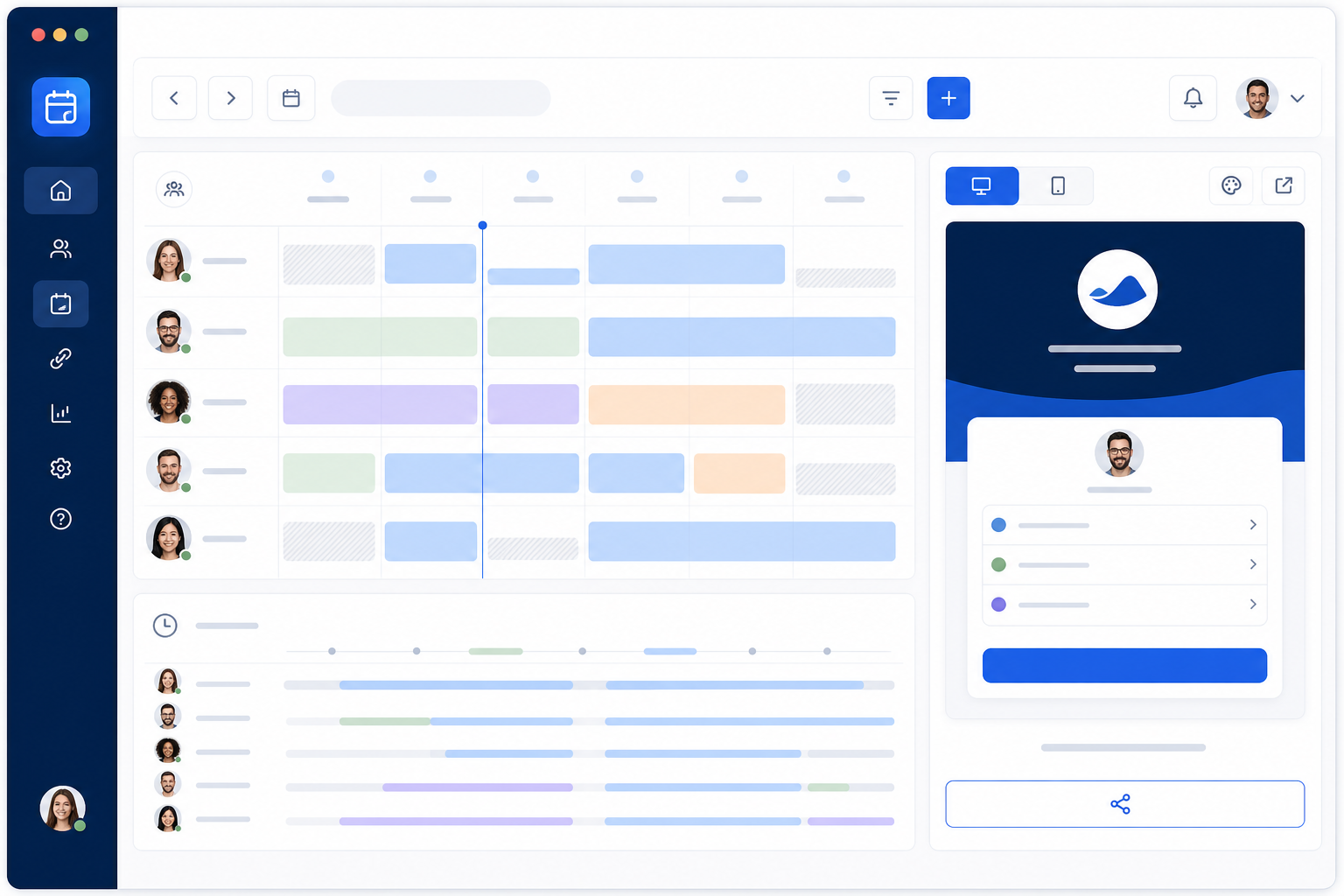
Schedule.so stands out because it feels less more like something built around how your business already works. It is by far the most flexible scheduling app on this list.
It gives teams control over everything from branded booking pages and custom email sending to availability rules, routing logic, and team coordination. The highlight is that you can create custom availability schedules with booking limits and buffers, connect multiple calendars at once, automate assigned meetings to available members, and automate reminders.
It also handles the scheduling logic most growing teams eventually run into:
- round robin assignments
- fixed-host meetings
- multi-calendar conflict checks
- intake forms and booking automations
For teams that care about branding, it goes further than most tools here. Your booking page can live on your own domain, emails come from your own address, and the entire booking experience feels like part of your business instead of a third-party platform. That makes it a strong fit for founders, agencies, consultants, sales teams, and growing companies that need scheduling tools to match their brand.
Key Features
- Custom domains, Custom SMTP email sending
- Syncs across Google, Apple, Microsoft Calendars
- Real-time conflict checks across all calendars
- Flexible booking limits and buffer rules
- Smart automation for round-robin, priority routing meeting assignment
- Includes a form builder to integrate intake forms
- Webhooks for CRM and workflow integrations
Limitations
- Less focused on payroll or HR workflows
- Advanced enterprise workforce tools aren’t the priority
Pricing
Free plan available, Essentials Plan (includes custom domain) at $49 per month
Best For
Small teams like coaches, therapists, clinics, agencies, sales teams that want branded scheduling and automation.
2. Connecteam: Best for Deskless and Frontline Workers
Connecteam is built for businesses managing frontline employees across shifts and locations. It combines employee scheduling software with internal communication, checklists, and time tracking, making it popular with cleaning companies, retail shops, and field teams.
Key Features
- Employee scheduling
- Shift management
- Team chat
- GPS time tracking
- Mobile-first interface
Limitations
- Appointment booking isn’t its strength
- Interface can feel crowded
Pricing
No free plan, only 14 day trial. Basic Plan starts @ $29 per month
Best For
Frontline workers and team management.
3. Homebase: Free Team Scheduling + Payroll
Homebase is one of the most widely used free scheduling apps for small business teams. It combines scheduling, payroll, hiring, and time clocks into one system, especially for hourly workers.
Key Features
- Shift scheduling app
- Payroll tools
- Employee messaging
- Time tracking
- POS integrations
Limitations
- Better for employee scheduling than client bookings
- Some features locked behind paid tiers
Pricing
Free plan available, Basic Plan starts from @ $30 per month
Best For
Retail stores, cafés, and hourly teams.
4. When I Work: Best for Shift-Based Teams
When I Work focuses heavily on shift scheduling and staff coordination. Managers can build schedules quickly while employees swap shifts and track hours from mobile devices.
Key Features
- Shift planning
- Team messaging
- Time tracking
- Mobile scheduling
Limitations
- Not ideal for appointment scheduling
- Fewer branding options
Pricing
Paid plans only. Per user paid plan starting @ $2.50 per month, per user.
Best For
Restaurants, retail, and shift-heavy operations.
5. Deputy: Best for Team Auto-Scheduling
Deputy helps businesses automate schedules based on staffing needs, labor costs, and availability. It’s especially useful for businesses managing rotating shifts.
Key Features
- Auto-scheduling
- Labor forecasting
- Shift swaps
- Compliance tracking
Limitations
- Learning curve for smaller teams
- More workforce-focused than booking-focused
Pricing
Free trial only available. Paid plans start at $5 per user per month
Best For
Operations-heavy businesses.
6. 7shifts: Best for Restaurants
7shifts was built specifically for restaurants.It handles shift scheduling, labor targets, tip management, and team communication in one place.
Key Features
- Restaurant scheduling
- Labor cost tracking
- POS integrations
- Team messaging
Limitations
- Industry-specific
- Less useful outside hospitality
Pricing
Free and paid plans available.
Best For
Restaurants and food service businesses.
7. Calendly: Best for Client Appointment Booking
Calendly made online scheduling mainstream. It’s still one of the simplest ways to let clients book meetings without back-and-forth emails.
Key Features
- Appointment scheduling software
- Calendar syncing
- Automated reminders
- Meeting links
Limitations
- Team routing can become restrictive
- Branding flexibility is very limited
Pricing
Free plan available. Paid plans start at $10 per seat, per month
Best For
Solo consultants and client meetings.
8. Acuity Scheduling: Best for Service Businesses
Acuity Scheduling works well for appointment-heavy businesses like salons, wellness practices, and coaching businesses. Clients can self-book and pay online before appointments.
Key Features
- Client self-booking
- Payment collection
- Intake forms
- Calendar syncing
Limitations
- Less suited for employee scheduling
- Interface feels dated in places
Pricing
No free plans. Paid plans start at $16 per month
Best For
Service businesses and appointments.
9. Sling: Best for Labor Cost Management
Sling combines shift scheduling with labor budgeting tools. Managers can monitor staffing costs while building schedules.
Key Features
- Labor cost tracking
- Employee scheduling
- Shift communication
- Time-off management
Limitations
- Appointment booking tools are limited
- UI can feel dense
Pricing
Free plan available. Paid Plans start at $1.70 per user, per month
Best For
Cost-conscious teams.
10. Jobber: Best for Field Service Scheduling
Jobber helps field service businesses manage jobs, appointments, and technician schedules. It’s commonly used by cleaners, landscapers, HVAC teams, and repair businesses.
Key Features
- Route scheduling
- Client booking
- Quotes and invoices
- Mobile job tracking
Limitations
- More operational than collaborative
- Pricing climbs quickly
Pricing
No free plans. Paid plans start at $110 per month
Best For
Field service companies.
11. Square Appointments: Best for Retail + Booking
Square Appointments combines scheduling with payments and point-of-sale systems.Businesses already using Square often choose it for convenience.
Key Features
- Appointment booking
- Payment processing
- Calendar sync
- Automated reminders
Limitations
- Limited team scheduling depth
- Best experience requires Square ecosystem
Pricing
Free plan available, $49 per month for teams
Best For
Retail and appointment businesses.
12. Setmore: Best for Free Online Booking
Setmore gives small businesses a simple online scheduling app without much setup. It supports bookings, reminders, and payment integrations.
Key Features
- Booking pages
- Calendar sync
- Automated reminders
- Video meeting integrations
Limitations
- Limited customization
- Team scheduling features are basic
Pricing
Free plan available. Paid plans start at $5 per user, per month
Best For
Simple appointment booking.
13. Monday.com: Best for Project Scheduling
Monday.com isn’t traditional scheduling software, but teams use it to manage timelines, workloads, and project calendars.
It works best for internal planning rather than client bookings.
Key Features
- Project timelines
- Team calendars
- Workflow automation
- Task scheduling
Limitations
- Not purpose-built for appointments
- Can become expensive
Pricing
Paid plans with trial, starting at $10 per user, per month
Best For
Project and operations teams.
14. Google Calendar: Best Free Option for Simple Teams
Google Calendar remains the default scheduling tool for many small businesses. It’s free, familiar, and works well for basic coordination.
Key Features
- Shared calendars
- Event scheduling
- Google Meet integration
- Mobile apps
Limitations
- No advanced routing
- Weak employee scheduling features
- Manual coordination still required
Pricing
Free.
Best For
Very small teams with simple scheduling needs.
15. Clockify: Best for Time Tracking + Scheduling
Clockify combines scheduling with employee time tracking and productivity reporting. It’s especially useful for agencies and hourly work.
Key Features
- Time tracking
- Team scheduling
- Project tracking
- Reporting
Limitations
- Appointment scheduling is limited
- Less client-facing functionality
Pricing
Free plan available.
Best For
Teams billing by time.
How to Choose the Right Scheduling App
After comparing all of these scheduling apps, one thing becomes pretty clear: the “best” tool depends entirely on what kind of scheduling problems your business deals with every day.
A restaurant managing employee shifts needs something completely different from a consultant booking client calls. A field service company has very different scheduling needs compared to a marketing agency or coaching business.
The easiest way to narrow down your options is to start with one question: What exactly are you scheduling?
If You Manage Shifts Choose Employee Scheduling Software
If your business depends on shift coverage, staffing, and hourly employees, your biggest challenge is usually coordination.
You need to know:
- who’s available
- who’s already scheduled
- where labor costs are going
- how to handle last-minute shift swaps
- how to avoid understaffing during busy hours
That’s where employee scheduling software makes the biggest difference.
Look for features like:
- shift swapping
- availability tracking
- mobile scheduling apps
- labor cost forecasting
- GPS or time tracking
- overtime alerts
- POS and payroll integrations
Apps like Connecteam, Homebase, Deputy, and 7shifts work especially well for restaurants, retail stores, hospitality teams, cleaning companies, and other shift-heavy businesses. If your team is constantly texting schedule changes in group chats, this is probably the category you need.
If Clients Book Time Choose Appointment Scheduling Software
For businesses that run on appointments, the biggest problem is double-booking, missed client meetings, back-and-forth communication to get meetings moving.
You want clients to:
- book without emailing you
- see real availability instantly
- receive reminders automatically
- avoid double bookings
- reschedule without friction
This is where appointment scheduling software shines.
The best tools here focus on:
- booking pages
- calendar syncing
- reminders and follow-ups
- intake forms
- routing rules
- branded scheduling experiences
- automated confirmations
Schedule.so, Calendly, Setmore, and Acuity Scheduling are stronger fits for agencies, consultants, coaches, therapists, clinics, sales teams, and service businesses. If your week is full of “does Tuesday at 3 work for you?” emails, this type of scheduling app will save hours almost immediately.
Don’t Ignore Integrations
One of the fastest ways scheduling falls apart is disconnected calendars. Before choosing a scheduling app, check whether it integrates with the tools your business already uses like, Google Calendar, Outlook, Zoom or Google Meet, Slack, CRMs, payroll software, payment systems, and project management tools
The fewer manual updates your team has to make, the better the scheduling system usually works long term.
The Best Scheduling App Is the One That Fits Your Business Like a Glove
The best scheduling app for small business teams isn’t always the one with the longest feature list. It’s the one that is built to remove the most friction from your day.
For some businesses, that means better employee scheduling and shift management. For others, it means smoother client bookings, automated reminders, and fewer calendar headaches.
Start by identifying where scheduling is slowing your team down right now. Once you know the actual problem, choosing the right tool becomes much easier.
FAQs
What is the best scheduling app for small businesses?
The best option depends on your workflow. Schedule.so works well for small teams that need appointment booking, routing, branded scheduling pages, and team coordination in one place.
Is there a free appointment scheduling app for employees?
Yes. Schedule.so, Calendly, Square Appointments, offer free plans for employee scheduling and shift management.
What scheduling app do most small businesses use?
Google Calendar and Calendly are common starting points. As teams grow, businesses often move to dedicated scheduling tools like Schedule.so for teams with better automation and availability controls.
How do I choose a scheduling tool for my team?
Start with your scheduling type:
- employee shifts
- client appointments
- project timelines
- field service scheduling
Then compare integrations, pricing, mobile access, and automation features.
Can scheduling apps integrate with Google Calendar?
Most modern scheduling apps like Schedule.so sync directly with Google Calendar to prevent conflicts and keep availability updated automatically.
Small businesses don’t need more calendar admin work.
They need scheduling that handles the messy parts, keeps them flexible, and optimises appointment booking using AI and automation. The best tools save time without forcing your team into complicated workflows.
If you want scheduling that feels branded, flexible, and built for real teams instead of generic booking pages, Schedule.so is one of the strongest options available in 2026.
Start a free trial here.