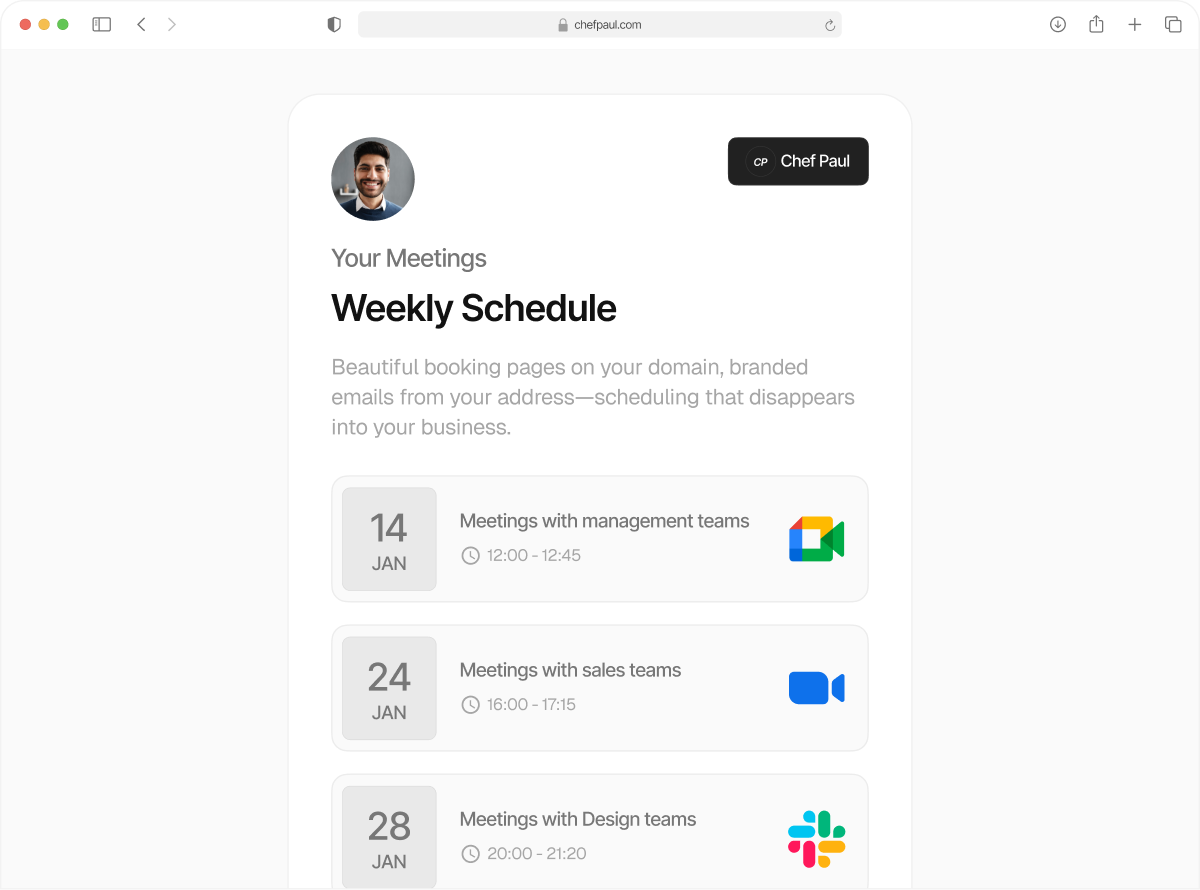
Ask questions before someone books your time
Add a booking intake form to any meeting link before someone books a meeting with you. You go into the meeting prepared, and they walk in without having to start from scratch.
Ask and you shall receive.
Ask for company size. Ask for past symptoms. Ask for goals. With schedule.so, you get a fully customizable booking intake form that lives in your scheduling flow as a pre-booking questionnaire.
Now, confirmed client or patient meetings come with exactly the context you need to give them your best.
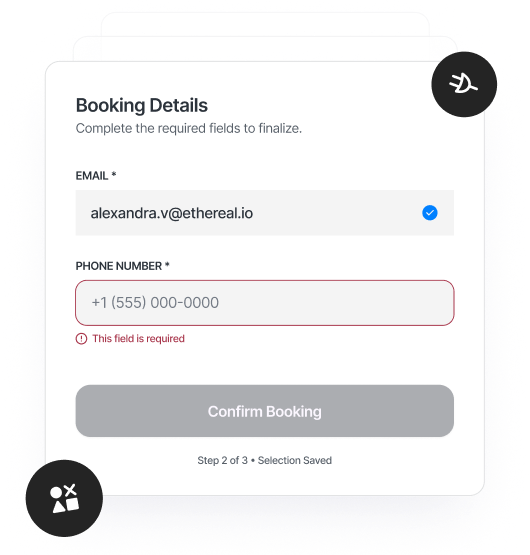
What you can include in your booking intake form

Short / Long text form field
Collect quick details like name, company, or role or ask open-ended questions like goals, challenges, or what they want to discuss.

Dropdown
Standardize answers like service type, budget range, or how they heard about you. Keeps responses structured and easy to scan.

Radio buttons
Show a short list of options upfront for quick decisions. Ideal when choices need to be clear and visible.

Checkbox
Use for simple confirmations, like agreement to terms or acknowledgment before booking.

Legal consent
Add a required consent checkbox with your custom legal text. Important for healthcare, coaching, and regulated workflows.
URL
Collect links like a website, LinkedIn profile, or portfolio before the meeting.

Phone number
Capture a phone number during booking so you don’t have to ask for it later.
Email OTP Verification
Verify the attendee’s email with an OTP before confirming the booking. Helps reduce no-shows and fake bookings.
How booking intake forms work
Create custom forms for each booking type in just a few steps.
Add your intake questions
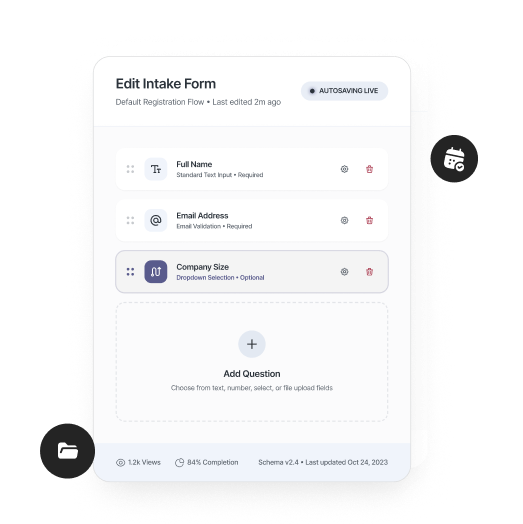
Create your booking intake form with the fields you need, from short answers to detailed responses, consent, or contact details.
Attach it to an event type
Each event can have its own pre-booking questionnaire, so different meetings collect different information.
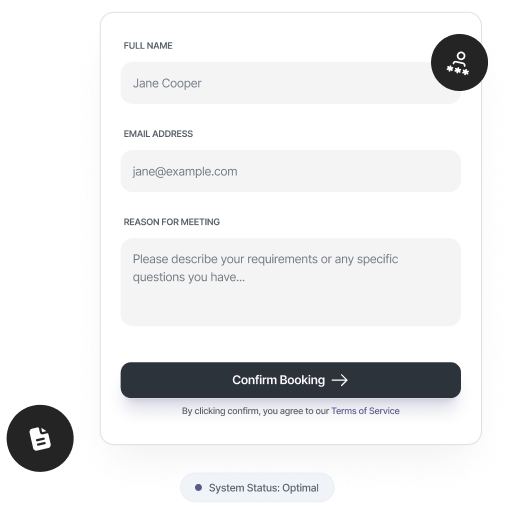
Someone books your time
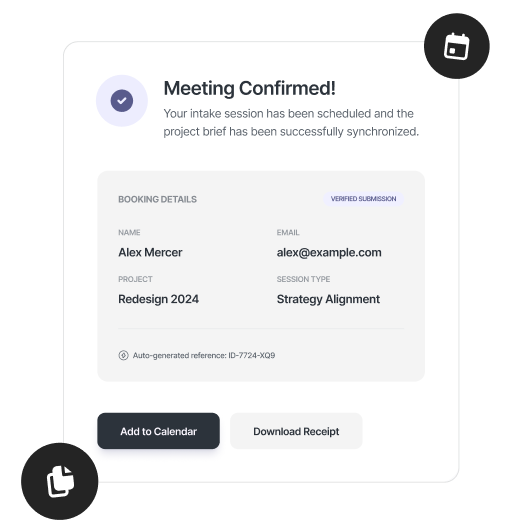
As they schedule, they answer your questions directly in the booking flow. And you receive them with every confirmed booking.
Ready to have more meaningful meetings?

Coaches & Consultants
Do your discovery before the call, ask about goals, challenges, and prior experience before the session. The first call starts directly with direction.

Clinics & Healthcare Providers
Collect symptoms, medical history, and consent as part of booking. schedule.so is HIPAA compliant.
Founders & Operators
Understand who’s booking, what they need, and why they’re reaching out. Every meeting comes with enough context to decide how to approach it.

Sales Teams
Ask about company size, use case, and budget before a call. Walk into every meeting knowing if it’s qualified.

Legal & Service Professionals
Capture case details, requirements, and consent upfront. Clients arrive with the information you need to move forward.
Frequently Asked Questions
Yes. Any field in your booking intake form can be marked as required, so the booking can’t be completed without those answers.
Responses are attached to each booking and visible in your dashboard before the meeting. They’re also included in your booking notifications, so you always have the context upfront.
Yes. Each event type can have its own booking intake form or pre-booking questionnaire. Short calls can stay simple, while longer sessions can collect more detailed information.
Yes. schedule.so supports HIPAA-compliant booking intake forms, so you can securely collect patient information and consent as part of the scheduling process.
The legal consent field collects explicit consent using the text you provide. How it applies to GDPR depends on how you handle data, so it’s best to align it with your own policies or legal guidance.
Yes. Email verification can be enabled so the attendee must confirm their email before the booking is completed. This helps reduce no-shows and invalid bookings.
Don’t go in blind into a meeting anymore.
Add a booking intake form to your scheduling flow and collect the answers that matter before anyone books.