Take every meeting one step further
Don't stop at the booking. Use a post booking redirect to nurture forward to onboarding or payment pages.
Is your meeting link turning into a dead end?
Someone's booked a paid session? Redirect them to a payment page. Someone's booked an intro call? Redirect them to a customized prep checklist.
You've already got their attention, so why miss the chance to make an impression at this intent-rich moment? With a post booking redirect, you take one step further, and make working with you feel easier, from the beginning.
Set up your post booking redirect URL in minutes
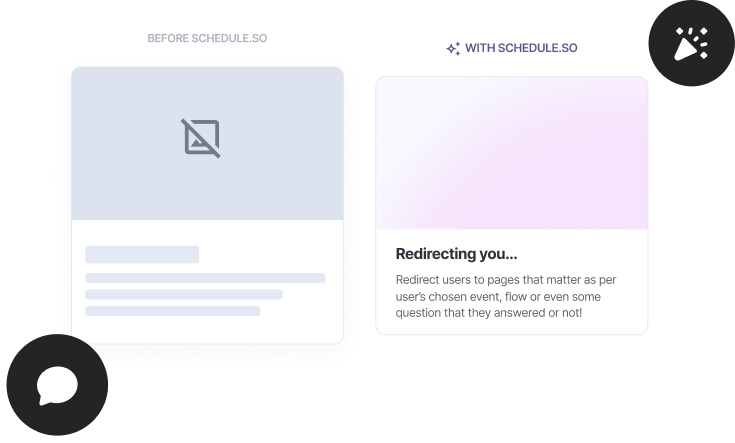
Add your redirect, set your preview image, and make every booking feel like the start of a journey.
Pick the next step
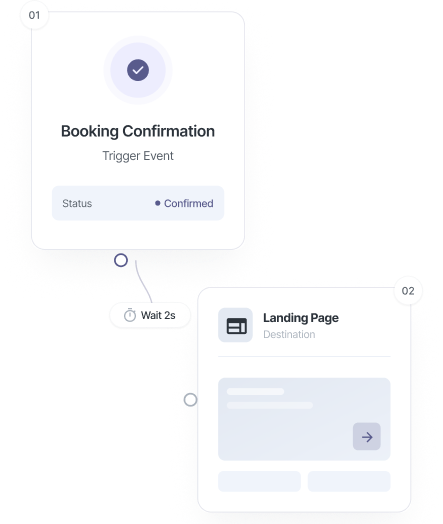
Choose where each event type should send people after booking, onboarding, payment, prep checklist, welcome video, or anything else.
Add context to the redirect
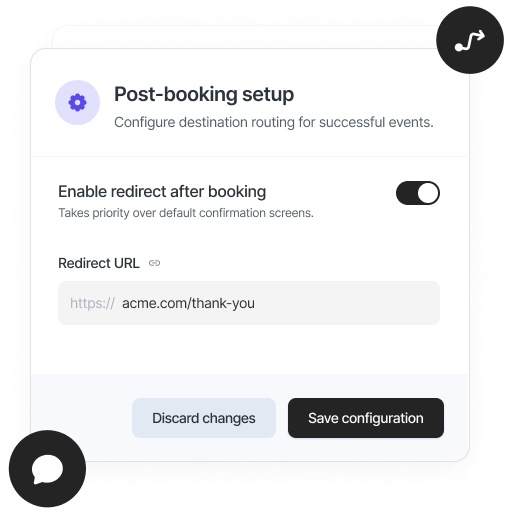
Pass attendee name, email, event type, and meeting time as query parameters so the destination page can personalise the experience.
Set the social preview image
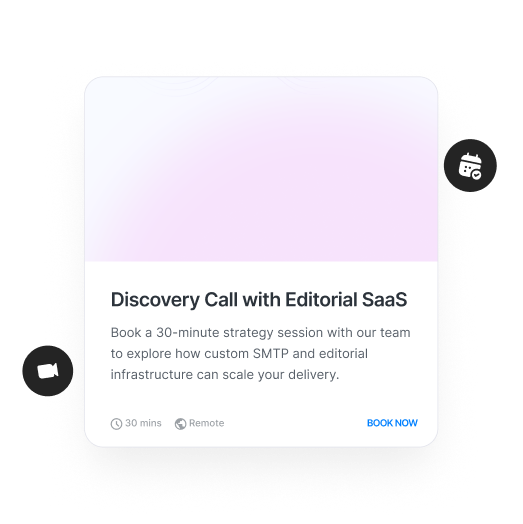
Upload a custom preview image for the booking link so the right visual appears when you share it across LinkedIn, WhatsApp, Twitter, Slack, and email.
How to make the most of our redirect and thumbnail features

Post-Booking Redirect
Set a post booking redirect URL and make the experience personalized with onboarding, payment, or a welcome video as the next step.

Different redirect per event type
With schedule.so, each event type gets its own booking page redirect, so no two bookings have to lead to the same place.
Add client name to your redirect page
Redirect URLs can automatically include attendee name, email, event type, and meeting time.
Add thumbnails to your booking link
Upload a custom booking link preview image everywhere your link is shared for a great first impression.

Match the preview to the meeting
Upload a different social preview booking page image for each event type and match the context of every link you share.

Share it everywhere
LinkedIn, WhatsApp, Twitter, Slack, email signatures, your booking link preview image renders correctly wherever your link appears.
Bookings should move people somewhere useful

Marketers & Growth Teams
Turn every booking into a step in your funnel. Use a booking page redirect to move people to onboarding, upsells, or product flows, without losing momentum.
SaaS & Product Teams
Route booked users into onboarding flows, demos, or activation steps instantly. A post booking redirect URL helps you guide users instead of leaving them at a dead end.
Coaches & Consultants
Send clients to a welcome video, prep checklist, or onboarding form right after they book. A post booking redirect makes every session feel more prepared.
Clinics & Service Businesses
Send patients or clients to forms, instructions, or pre-visit details immediately after booking. Everything feels more organised and easier to follow.
Frequently Asked Questions
Yes. Each event type can have its own post booking redirect URL. Your intro call can lead to an onboarding form, while your paid session can go straight to a payment page.
You can pass attendee name, email, event type, and meeting time as query parameters. This lets your booking page redirect personalise the experience or pre-fill forms automatically.
Yes. As soon as the booking is confirmed, your post booking redirect sends them straight to the next step, no extra clicks.
Yes. Each event type can have its own booking link preview image, so your discovery call and workshop links can look completely different when shared.
Use 1200×630 pixels. This ensures your booking link preview image looks correct across LinkedIn, WhatsApp, Twitter, and other platforms.
Because the booking is just the beginning
Guide what happens next with a post booking redirect and make every interaction feel intentional and personalized.