Booking automations that go beyond meetings.
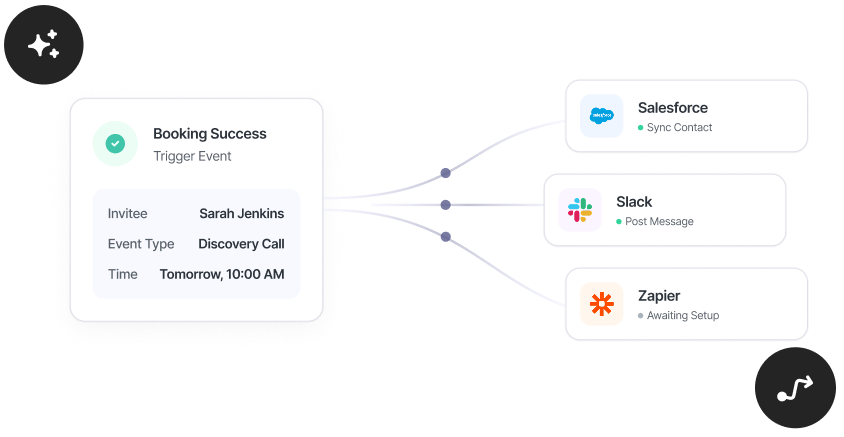
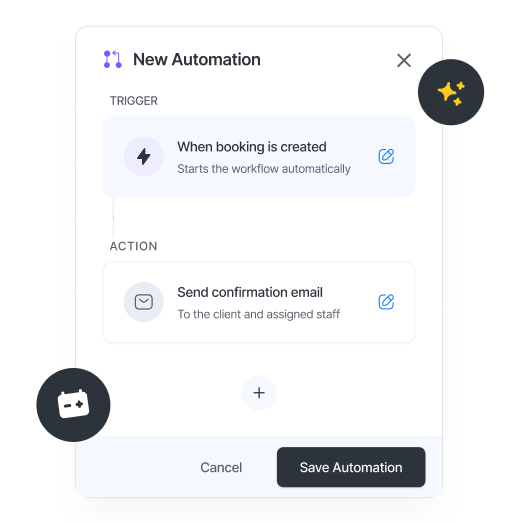
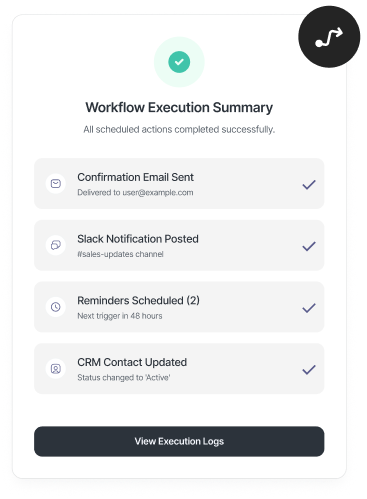
One booking can trigger your meeting workflow automatically. Confirmation email done. Pre-book questionnaire. Payment link done. Reminder done. Follow up email done. You set it, and forget it.
If it’s not queued, then it’s on you.
If your confirmations, reminders, and follow-ups still need manual intervention, your system isn’t optimized. Clients aren’t in the loop, timing may not be precise, and follow-ups aren’t building on the conversation.
schedule.so turns your bookings into a workflow automation. You have complete email sequences, triggered by booking events, timed before, after, and can continue nurturing your client long after as well.
What your booking automation can do for you
New booking
Start the workflow the moment someone books. Send a confirmation, an intake form, or pre-meeting checklist.

Cancellation
Handle cancellations automatically. Acknowledge the change, offer a reschedule link, or capture feedback without manual follow-up.
Reschedule
When a meeting moves, the workflow updates with it. Send a new confirmation with the updated time and keep everything aligned.
Before the meeting
Schedule reminders ahead of time. Send the meeting link, preparation notes, or anything they need right before the session.

After the meeting
Follow up after the meeting ends. Send post meeting follow up emails like summaries, next steps, feedback requests, or links to book again.
Chain multiple emails per trigger
Build a booking email sequence on a single trigger. Each email is timed relative to the meeting, so confirmations, reminders, and follow-ups run as one workflow.
Set up your booking workflow once
Build your email sequence, define the timing, and let our workflow automation handle the rest.
Design and personalize your emails
Use the visual email builder to create each step in your sequence. Add text, structure, and insert variables like name, time, timezone, and meeting link so every email is automatically personalised.
Brand your communication
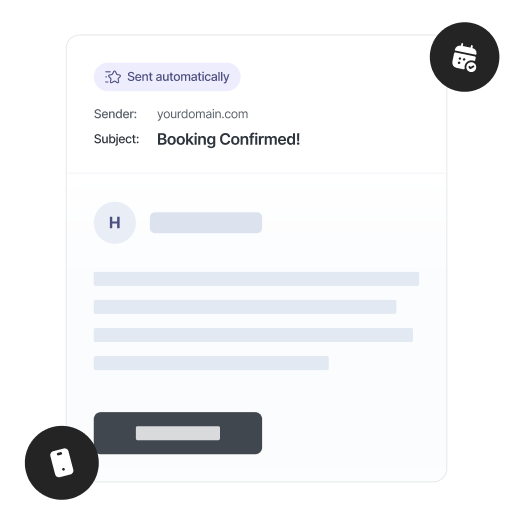
You can remove schedule.so branding, and add your logo to ensure consistent branding across all touchpoints.
Timing Control
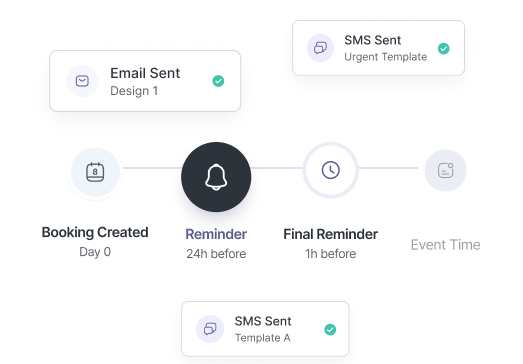
Set exactly when each email goes out, immediately, or minutes, hours, or days before or after the meeting.
Own your email delivery
With schedule.so’s custom SMTP, every email in your booking workflow is sent from your address, under your name.
schedule.so vs Calendly for booking automations
| Feature | schedule.so | Calendly |
|---|---|---|
| Availability | Free Plan | Paid Plans |
| Send using your own email |
Ready to turn your meetings into booking workflow automations?

Coaches & Consultants
Send confirmations, reminders, and follow-ups as part of a defined sequence.
Sales Teams
Run structured outreach around every meeting. Confirm instantly, remind at the right time, and follow up with next steps without missing a beat.
Recruiters
Keep candidates informed at every stage. Interview confirmations, reminders, and follow-ups can all run as part of a consistent workflow.
Service Professionals
Appointments come with clear communication before and after. Reminders land on time, and follow-ups keep the relationship moving.
Frequently Asked Questions
Yes. A single trigger can run a full booking email sequence. For example, send an automated booking confirmation immediately, a reminder before the meeting, and a post meeting follow up email after. This is how booking automation turns into a complete meeting workflow automation.
Yes. Each step in your booking automation can be timed independently, minutes, hours, or days before or after the meeting. This gives you full control over your meeting reminder automation and follow-up timing.
Yes. You can use variables like attendee name, event name, date, time, timezone, and meeting link. Every email in your booking email sequence is automatically personalised for each booking.
Yes. You can reuse templates and apply the same scheduling workflow automation across multiple event types, so your meeting workflow automation stays consistent.
Yes. With Custom SMTP, all emails in your booking automation are sent from your own address and domain, so your entire meeting workflow appears under your brand.
Yes. Booking automation is controlled at the event type level. You can enable or disable your meeting workflow automation depending on how each event should run.
Switch to email sequences that run on autopilot
You run the meeting. Your booking automation runs the communication workflow, confirmations, reminders, and follow-ups, all timed and handled automatically.