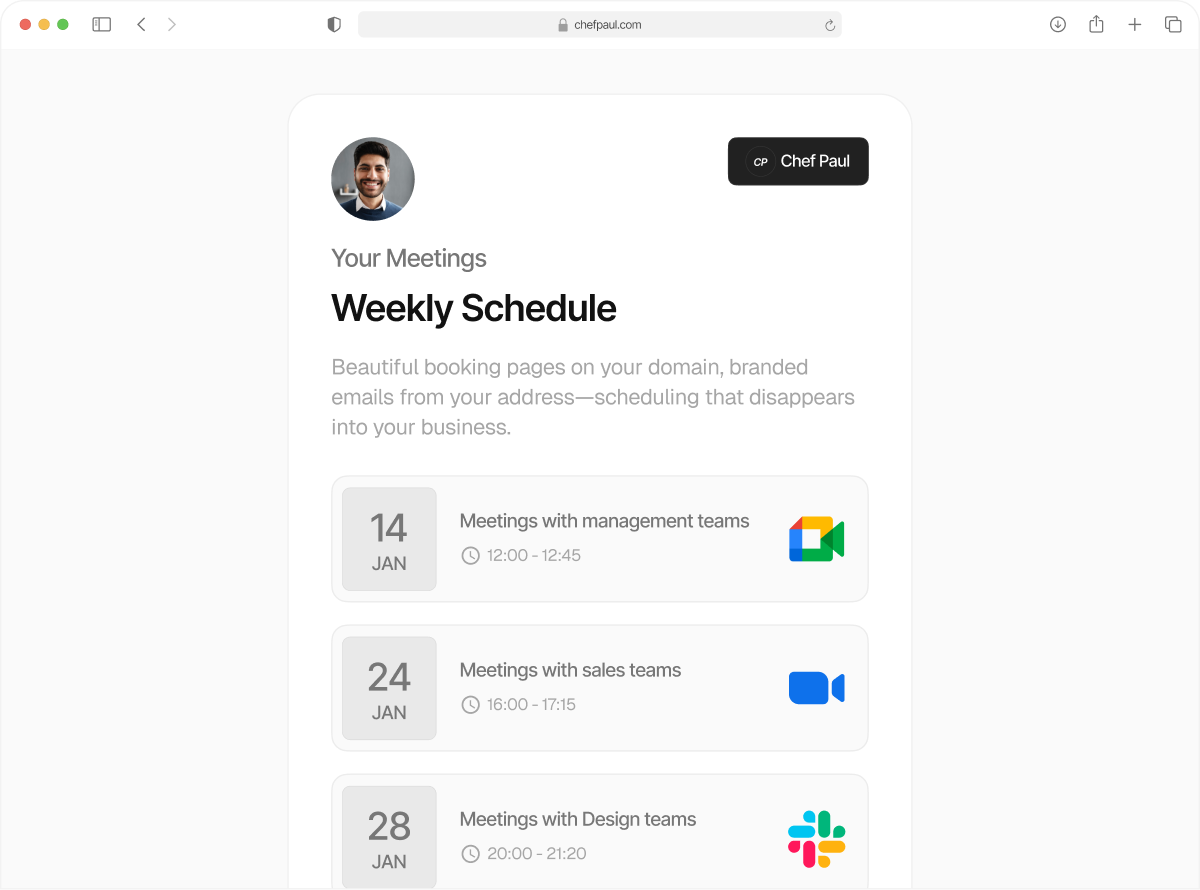
Your entire team’s calendar. In sync
Enjoy shared booking flows with group scheduling without a manual call or text check in with team members.
‘Does this time work for you?’ Said no one ever again.
Now you can invite your entire team to connect calendars, and manage scheduling from one workspace. Create shared booking flows, round robin, fixed host, or collective meetings, and run team scheduling without call or text check ins.
schedule.so works as a complete team scheduling software, keeping availability aligned across every team member.
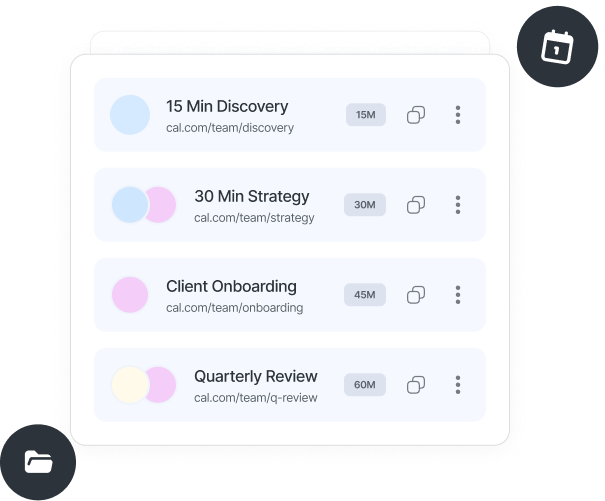
All the features for team scheduling in one place
Invite team members
Add your team by email and bring everyone into one scheduling workspace. Each member connects their calendar, Google, Outlook and/or Apple calendars.

Control access and roles
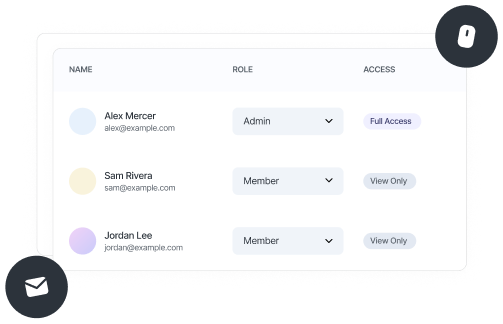
Set who can manage team scheduling, events, and members. Full admin access or standard member roles, clear control across your workspace.

Create team booking flows
Set up round robin, fixed host, or collective events for your team. No individual setup needed, events run across connected calendars.

One shared booking link
Use a single booking link for your team. Meetings are assigned automatically based on availability and routing rules.

Round robin routing
Distribute meetings evenly across team members or prioritize specific people. Built for inbound lead distribution and sales teams.

Collective & fixed host scheduling
Collective events find a time when everyone is available. Fixed host ensures one required person joins every meeting with rotating support.
From setup to team scheduling in minutes
Takes about 5 minutes to get your entire team live.
Create or join a workspace
Every account lives inside a workspace. Set up one for your team and manage all team scheduling from a single place.
Invite team members
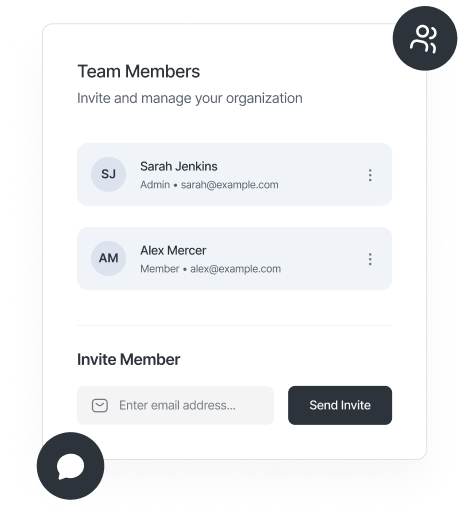
Add your team by email and assign roles, admin or member. Everyone joins the workspace and gets ready for team scheduling.
Connect team calendars
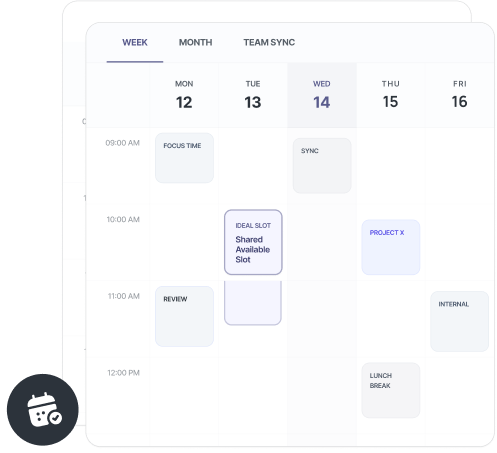
Each member connects their Google, Outlook, or Apple calendar. Availability syncs across the team for accurate scheduling.
Create team booking flows
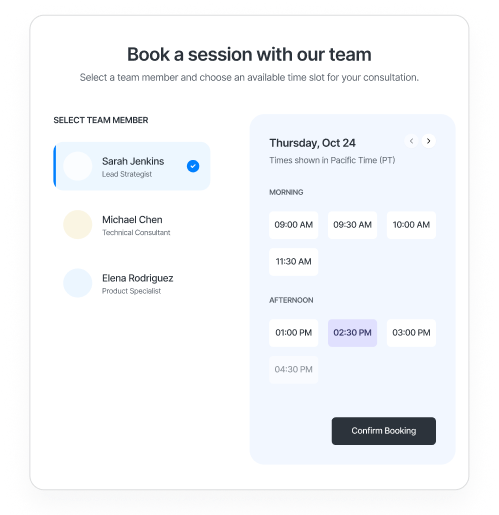
Set up round robin, fixed host, or collective events. Assign members, set rules, and share one booking link.
schedule.so vs Calendly vs Cal.com for teams
| Feature | schedule.so | Calendly / Cal.com |
|---|---|---|
| Separate Team Setup | Calendly: no / Cal.com: Yes | |
| Pricing for 5 users | Free | Calendly: $80 /mo / Cal.com: $75 /mo |
| Flat pricing per month |
Who can make the most out of a team scheduling software?

Sales managers
Invite your entire sales team into one workspace. Use round robin for inbound demos and set priority routing for senior reps. One booking link, no manual lead distribution.

Operations leads
Run team scheduling across the organization. Create booking flows, manage access, and control how meetings are assigned. The system handles scheduling, ops sets the rules.

HR & recruiting teams
Manage all recruiters in one workspace. Use collective events for panel interviews and round robin for screening calls. A consistent team booking experience for every candidate.

Clinic & practice managers
Bring all practitioners into one system. Use fixed host for supervised sessions and collective scheduling for multi-person reviews. Patients always book with the right person.
Frequently Asked Questions
Yes. Each team member needs an account to join your workspace and connect their calendar. Once connected, they can be included in team scheduling and booking flows.
Yes. You can create and manage multiple workspaces, each with its own team members, booking flows, and scheduling setup. Useful for different departments or business units.
You can remove them from the workspace at any time. They’re removed from all team booking flows, and new meetings won’t be assigned to them.
Yes. Each member manages their own availability and calendar connections. The system uses that availability for accurate team scheduling and booking assignments.
Meetings are assigned automatically based on your booking flow, round robin, fixed host, or collective scheduling, and each member’s availability.
Yes. You can create shared booking flows for multiple team members, making it easy to schedule group meetings, panels, or distributed calls from one link.
Run your entire team’s scheduling from one place
Stop coordinating calendars. Instead, start running team scheduling the way it should work, one system + shared booking flows.